Webhook events and deliveries
This page lists every event a webhook endpoint can get from Kindgi, what each one carries, how deliveries are retried, and what the console shows about them. To set an endpoint up, follow Get a webhook when a run finishes.
| Event | Sent when | Carries |
|---|---|---|
run.finished |
a run your app or the CLI started completes, fails or is cancelled | data.run |
improvement-pass.finished |
an improvement pass ends | data.pass |
approval.requested |
an approval starts waiting for a reviewer | data.approval |
An endpoint gets the events its events list names. parseEvent in
TypeScript and parse_event in Python read each of them.
run.finished
Section titled “run.finished”{ "id": "d7bc2805-587c-4830-a36f-fddeb0b7a423", "type": "run.finished", "createdAt": "2026-10-03T20:16:24.554Z", "data": { "run": { "id": "c24869c1-9243-4531-920b-d657e05eac0b", "projectId": "bc654965-c4fb-4667-85f1-33e46f4a4f0c", "flowId": "acme.check-order-stock", "flowVersion": "0.1.0", "status": "completed", "dryRun": false, "failureMessage": null, "createdAt": "2026-10-03T20:16:24.465Z", "completedAt": "2026-10-03T20:16:24.554Z", "usage": { "calls": 0, "costUsd": 0, "tokens": { "prompt": 0, "completion": 0, "cacheRead": 0, "cacheWrite": 0, "reasoning": 0 } } } }}statusiscompleted,failedorcancelled.failureMessagesays why a run failed.usageis what the run's model calls cost, its agent steps included:calls, failed ones too,costUsdandtokens. See Cost per run and per customer.- The event carries the run's identity and outcome, never its input or
output. Fetch the run with
runs.getfor its output. AfterparseEventin TypeScript,event.data.run.idis aRunId, so it goes toruns.getas it is. webhook-id, a request header, is the event's id, the same on every retry.- The filter applies:
flowIds,projectIdandincludeDryRuns. - Only runs your app or the CLI started send it. The runs inside them, such as an agent step's turn, don't.
On an agent's run
Section titled “On an agent's run”When your app starts an agent's run, a turn in a conversation, the event is
the same with flowId agent.turn. Its agent says which agent ran:
{ "id": "62340028-b9ea-4b3c-911a-9958ecdf64de", "type": "run.finished", "createdAt": "2026-10-11T06:05:07.444Z", "data": { "run": { "id": "73628759-cb27-4813-94f7-f872bb3a78ef", … "flowId": "agent.turn", "flowVersion": "1.1.0", "status": "completed", … "agent": { "id": "acme.order-assistant", "version": "0.1.0", "conversationId": "9bd2328a-5c30-4cf9-ab15-4ddc74dc898d", "via": "latest" } } }}agent.idandagent.versionare the agent and the version that ran.conversationIdis the conversation the turn belongs to.viasays why that version ran:latest: no version is live for the run's scope;live: the version live for its scope;explicit: your app named the version;conversation: the conversation's own version.
usagecounts the agent's model calls, as on a flow's run.- These are the fields
GET /v1/runs/<run-id>shows. In Python,parse_eventgives them asevent.data.run.agent. - A flow's run has no
agent.
Improvement passes
Section titled “Improvement passes”An endpoint that lists improvement-pass.finished in its events gets one
when any improvement pass ends, whoever
started it. The pass ends completed, failed or cancelled.
data.passis the pass asGET /v1/improvement-passes/<pass-id>shows it.- Its outcome names the proposal it wrote, if it wrote one.
- Of the filter, only
projectIdapplies, the pass's project.flowIdsandincludeDryRunsare about runs.
Approvals
Section titled “Approvals”An endpoint that lists approval.requested gets one each time an approval
starts waiting for a reviewer. An escalation opens a new approval, so it
sends a new event. Assigning an approval later sends no second event: read
the approval for its assignedTo.
data.approval says which approval it is and who may decide it:
approvalId,projectId,requiredRoleandtitle;assignedTo, when it's assigned;createdAtandexpiresAt;url, its page in the console, when the runtime knows its public address.
It never carries what the approval is about: no context, no tool call and
no run input. That stays behind sign-in.
- Of the filter, only
projectIdapplies, the approval's project. - An approval that's rolled back before it's saved sends nothing.
One, as an endpoint gets it, with the ids elided. Its webhook-id is the
approval's id. assignedTo and expiresAt appear when they're set:
{ "id": "…", "type": "approval.requested", "createdAt": "2026-10-10T01:37:31.198Z", "data": { "approval": { "approvalId": "…", "projectId": "…", "requiredRole": "standard", "title": "Refund over the limit", "createdAt": "2026-10-10T01:37:31.198Z", "url": "…/console/approvals/…" } }}To email the reviewers themselves instead, see reviewer email.
Delivery
Section titled “Delivery”- A delivery succeeds on a 2xx answer. Any other answer, or none, is retried with backoff: about a minute later, then about five minutes later, then longer.
- A delivery is at least once. The same event can arrive twice, so
deduplicate on
webhook-id. - Outside development, every attempt checks the receiver's address
again, with the runtime's settings at that moment. An attempt to an
address it refuses fails with
lastError: "url-refused"and is retried like any other. Once you setKINDGI_WEBHOOK_PRIVATE_NETWORKS=allow, the queued retries to a private receiver go out.
Verify a webhook has receivers that check the signature and deduplicate.
In the console
Section titled “In the console”Tenant admins have a Webhooks page: every endpoint the tenant sends to, and how its deliveries went. Times are UTC.
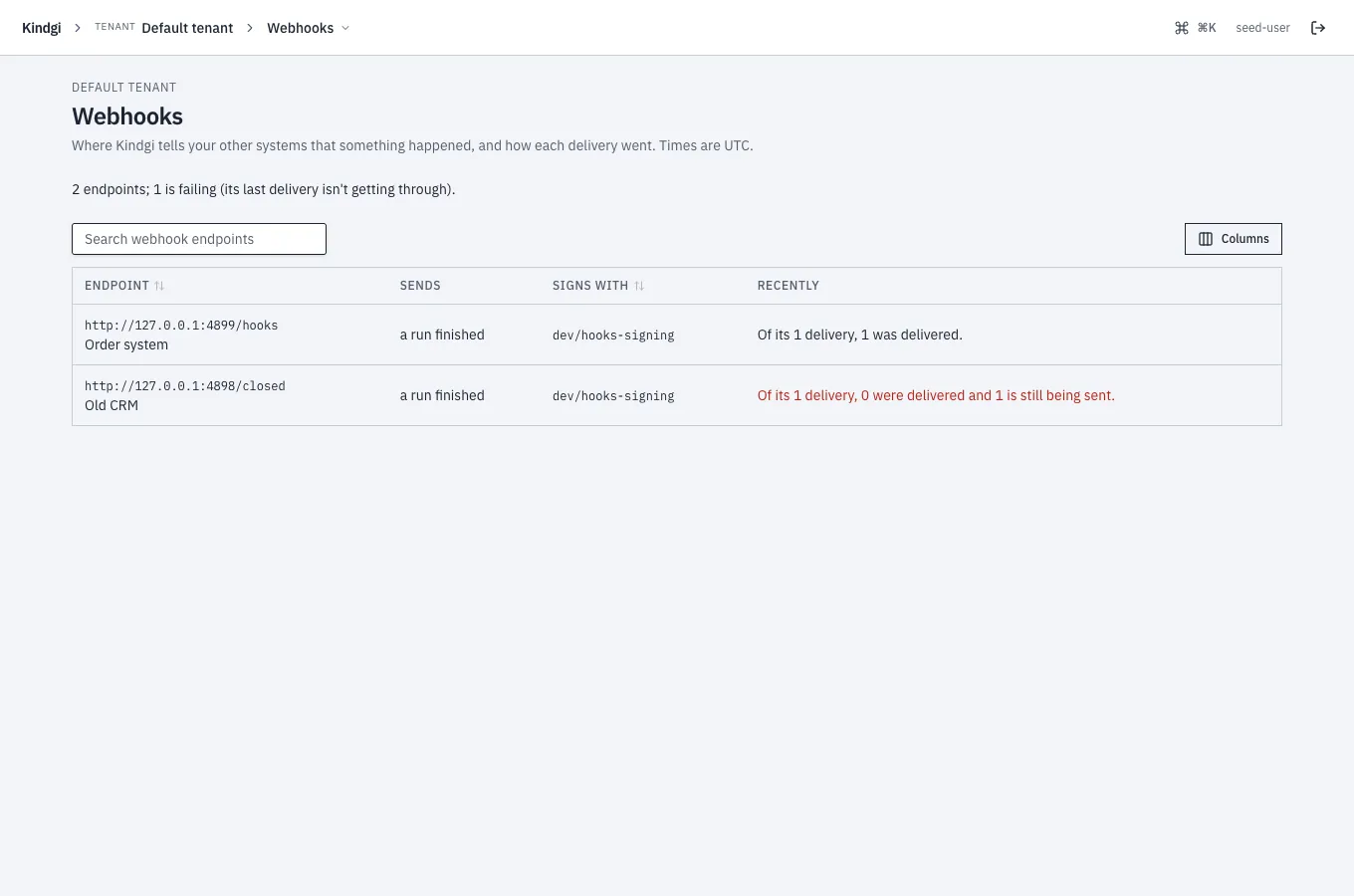
- The headline counts the endpoints and the failing ones: "2 endpoints; 1 is failing (its last delivery isn't getting through)."
- Each endpoint says what it sends, such as "a run finished", and the secret it signs with, by name only. It also says how its recent deliveries went: "Of its 1 delivery, 1 was delivered."
- The list has a search box and sorts by a column's header. Columns chooses which columns it shows.
An endpoint's page says what it sends and how it signs: "Sends a run finished, signed with the secret dev/hooks-signing (its value stays in the secrets store)." Then it tells each delivery, newest first, as a story:
- "Delivered after 1 attempt";
- "Retrying after 2 attempts (nothing is listening at that address), next attempt …", or the receiver's answer instead, such as "(HTTP 500)";
- "Failed after 6 attempts: HTTP 500", once it has stopped trying;
- for a finished run, the run's outcome and Open the run.
The other reasons it gives are "it didn't answer in time", "its host name doesn't resolve", "its address is one webhooks may not go to", "its TLS certificate wasn't accepted" and "the connection failed". All, Failed, Being sent and Delivered filter the list, and it sorts by a column's header.
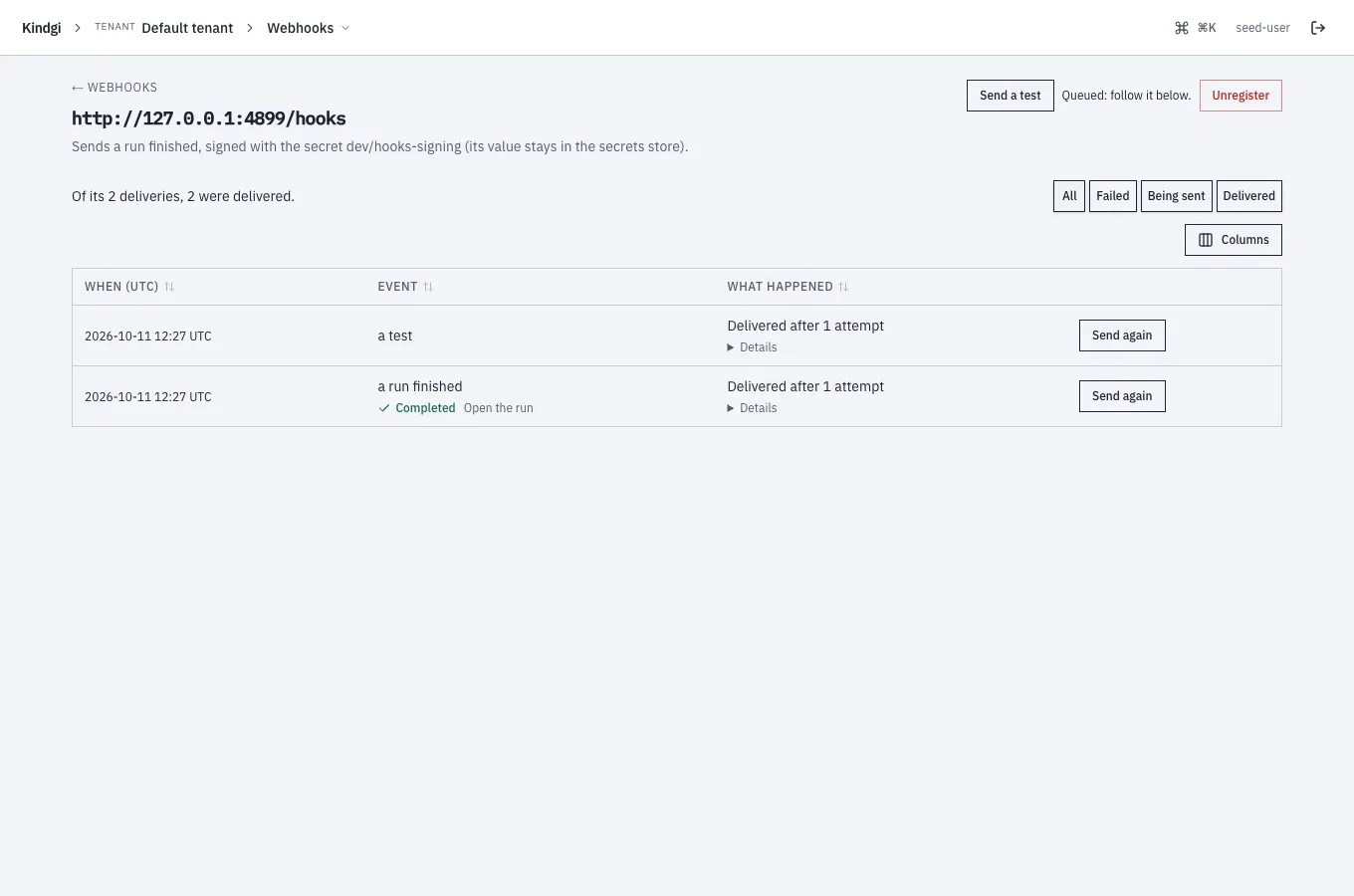
- Send a test queues a test event: "Queued: follow it below." It shows in the list as "a test".
- Send again queues that delivery once more: "Queued."
- Unregister says "Nothing more is sent to it. Deliveries still waiting are marked failed." An unregistered endpoint can't be brought back from the console: add it again. Its old address then says "No endpoint by that id here: it was unregistered, or never existed."
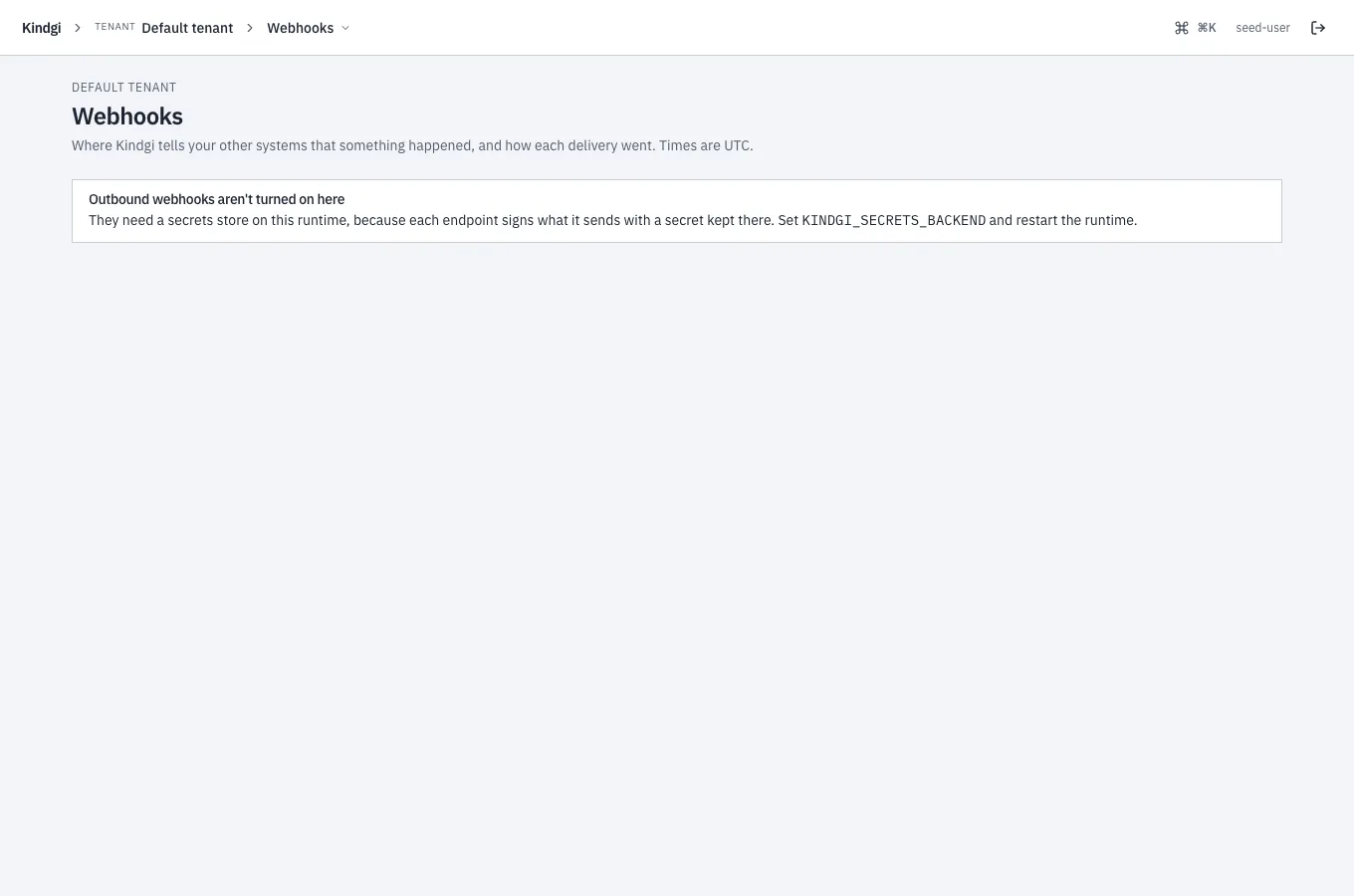
A runtime without a secrets store sends no webhooks, and the page says so:
"Outbound webhooks aren't turned on here". Endpoints sign with a secret kept
in the store, so set KINDGI_SECRETS_BACKEND and restart the runtime.