

Run on a schedule
This guide runs an agent or a flow at set times, and shows each time it ran, or why it didn't.
A schedule starts a run of an agent or a flow at the times a cron expression gives. Its runs act as whoever made the schedule, checked again at every run. They land in the schedule's project, and each names the schedule that started it.
To start a run when something happens outside instead, such as an order in
your WooCommerce store, use a webhook trigger.
Or have the other system start a run with POST /v1/runs.
Before you start
Section titled “Before you start”- An agent or a flow to run, registered on your runtime, such as
kindgi dev. This guide runs the agentacme.order-desk. - Kindgi 0.1's CLI, in your pack's directory.
writeon the schedule's project andexecuteon the agent or flow, when authorization is on: its runs act as you.
Create one
Section titled “Create one”The schedule says what to run, with what input, and when:
pnpm exec kindgi schedules create --agent=acme.order-desk --cron="0 7 * * 1-5" --timezone=America/Toronto \ --input='{"userMessage":"List the orders still open from yesterday."}' --label="weekday digest"- What it runs:
--agentruns the agent's live version, or else its latest.--agent-versionpins one.--flowruns a flow, and needs--flow-version. - Its input: an agent's is
{"userMessage": "…"}, the message each run sends. A schedule for an agent without one is refused when you create it. A flow takes its own input,{}if you give none.--input=@digest.jsonreads a file. - When:
--crontakes a cron expression or a shorthand such as@daily.0 7 * * 1-5is 07:00 on weekdays. The times are in--timezone, an IANA name, UTC by default. The shortest interval is a minute, except underkindgi dev. - Where:
--project=<project-id>is its project. Without it, it's the tenant's Default project. --labelnames it, for lists and the console.
It prints the schedule, with its id. To see the next three times it runs,
where <schedule-id> is that id:
pnpm exec kindgi schedules get <schedule-id> --upcoming=3From your app, the clients have the same calls on schedules: register,
list, get, update, pause, resume, runNow, fires,
takeOwnership and unregister (run_now and take_ownership in
Python).
Each time it fires
Section titled “Each time it fires”Once it's created, the schedule fires at its times. Each time the schedule
comes due is a fire. A fire starts one run with
the schedule's input, and the run's trigger names the schedule, the fire
and the time it was for. With several runtime instances on one database,
each time still fires once.
- The previous run is still going, working or waiting for an approval.
With
--overlap=skip, the default, the fire isskipped-overlap.--overlap=allowstarts another run. - The runtime was down when one or more times came due. With
--catch-up=latest, the default, it fires once when it's back, for the latest of them. It says how many it stood in for, asmissedCount.--catch-up=skipfires none of them. A time is missed when the fire would start more than--starting-deadlineseconds late, 600 by default. - Its owner may no longer run it, such as when they lost their role on
the project. The fire is
refused, with why. Whoever holdsadminon the project can make themselves its owner:kindgi schedules take-ownership <schedule-id>. - The person a run would act for is being erased: the fire is
skipped-erasure, and no run starts for them until the erasure completes.
After 5 fires in a row that were refused or failed, the schedule pauses
itself, with the reason in its statusReason. Skipped fires don't count.
kindgi schedules resume <schedule-id> clears it.
See what it did
Section titled “See what it did”The schedule's history says what each fire did:
pnpm exec kindgi schedules fires <schedule-id> --table--table prints a table. Without it, the same fires come as JSON. The
history is newest first, kept for 30 days. Each row has:
FIRED: when the fire happened.FOR: the time it was for, orrun-nowfor one you started by hand.OUTCOME:started,skipped-overlap,skipped-erasure,skipped,refused,failed, orpendingwhile a fire is starting. A fire isskippedwhen an improve schedule's threshold isn't met or its monthly cap is reached, when its project is suspended, or when its tenant is suspended or starts closing before its run or pass has started.NOTEsays which.STARTED: a run's id, orpass <id>for an improve schedule.NOTE: why it was skipped, refused or failed, or how many missed times it stood in for.
Improve on a schedule shows a history.
kindgi runs list --trigger=<schedule-id> lists the runs it started. Each
fire also logs one [schedules] record, with its outcome and run, as
Logs describes.
Find your schedules
Section titled “Find your schedules”pnpm exec kindgi schedules list --status=activepnpm exec kindgi schedules list --project=<project-id>--status=activelists the active ones.--project=<project-id>,?projectId=in the API, lists one project's schedules.
Each schedule's owner has the owner's name now, displayName: the
person's, or the service account's. When it can't be read, only its id is
there.
With authorization on, the list holds the
schedules in projects you may read, or all of them for a tenant admin. A
page can then hold fewer than --limit and still have more after it. Keep
going with --cursor, set to the previous page's nextCursor, until there's
none.
Run it now, pause it, change it
Section titled “Run it now, pause it, change it”kindgi schedules run-now <schedule-id>runs it once now, outside its schedule. Its next time doesn't move, and a run still going doesn't stop it.kindgi schedules pause <schedule-id>stops it.resumestarts it again from its next time, without running the ones it missed while paused.kindgi schedules update <schedule-id>changes when it runs, what it runs, its input or its policies, with the same flags ascreate.kindgi schedules unregister <schedule-id>removes it.
In the console
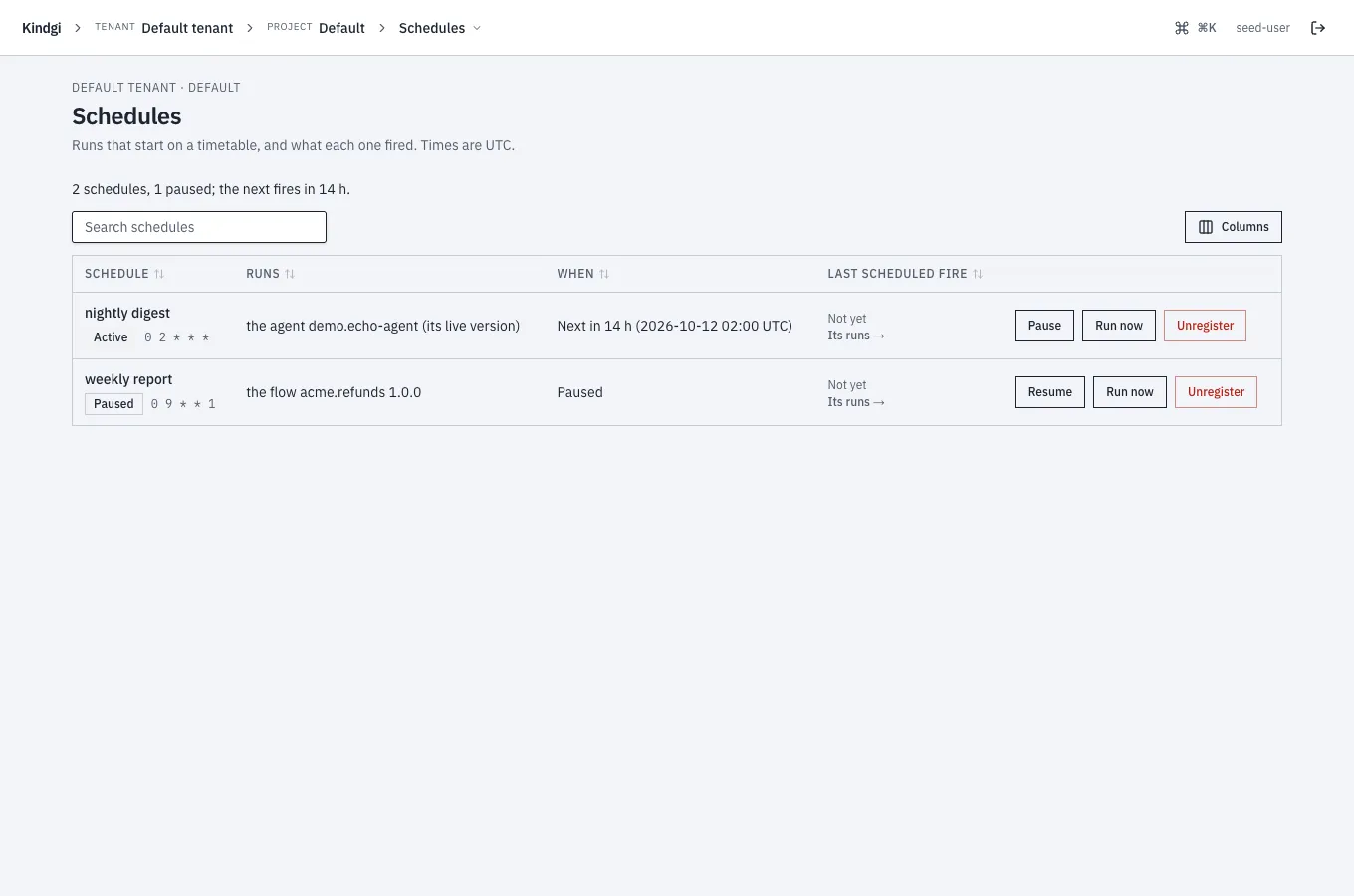
Section titled “In the console”A project's Schedules page lists its schedules, with a headline such as "2 schedules, 1 paused; the next fires in 14 h.". Each row says:
- what it runs, such as "the agent demo.echo-agent (its live version)" or "the flow acme.refunds 1.0.0";
- its cron;
- when it next fires, such as "Next in 14 h (2026-10-12 02:00 UTC)", or that it's paused;
- its last scheduled fire, and Its runs →.
Times are UTC. The list has a search box and sorts by a column's header. Columns chooses which columns it shows.
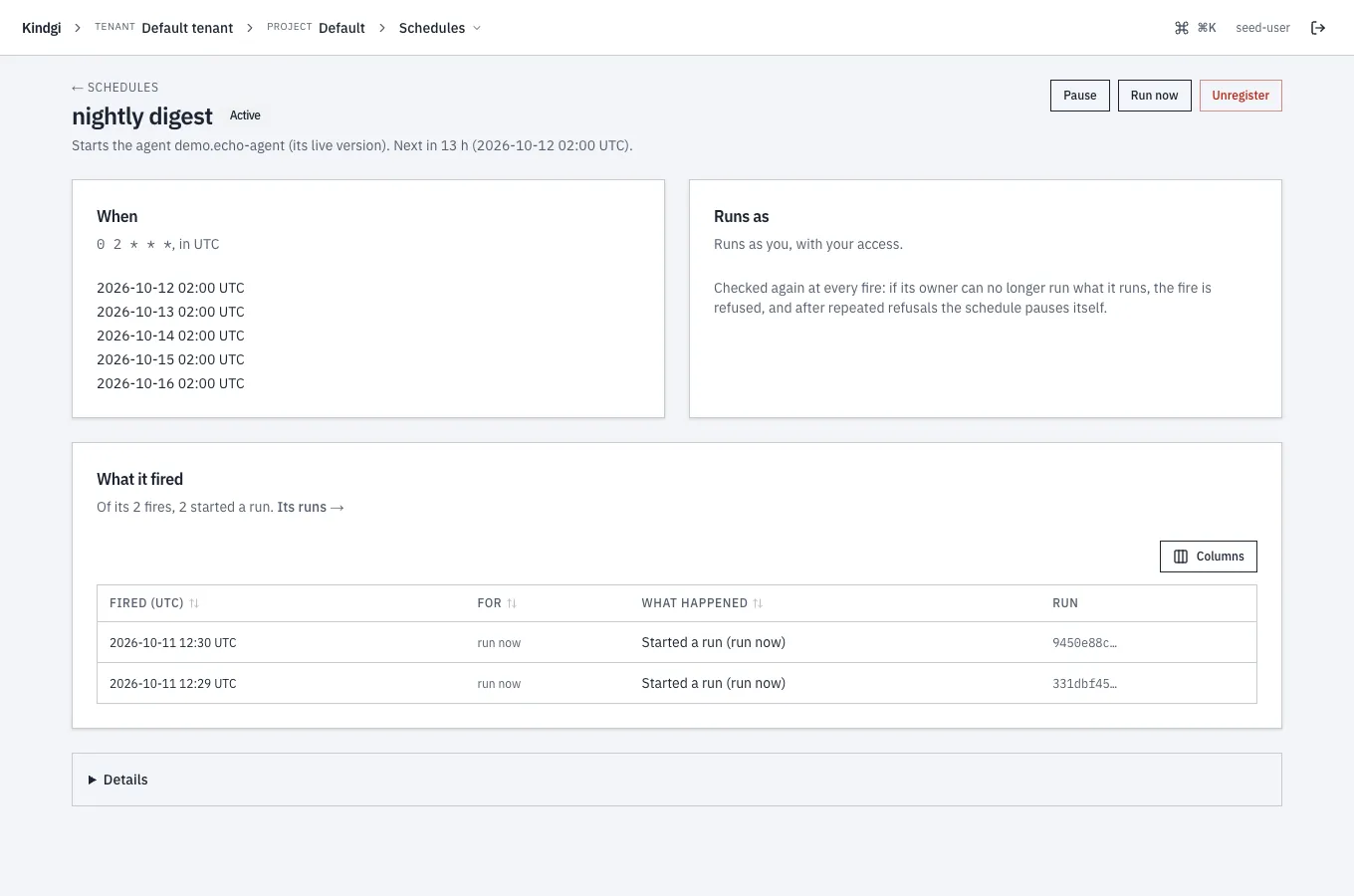
A schedule's page has:
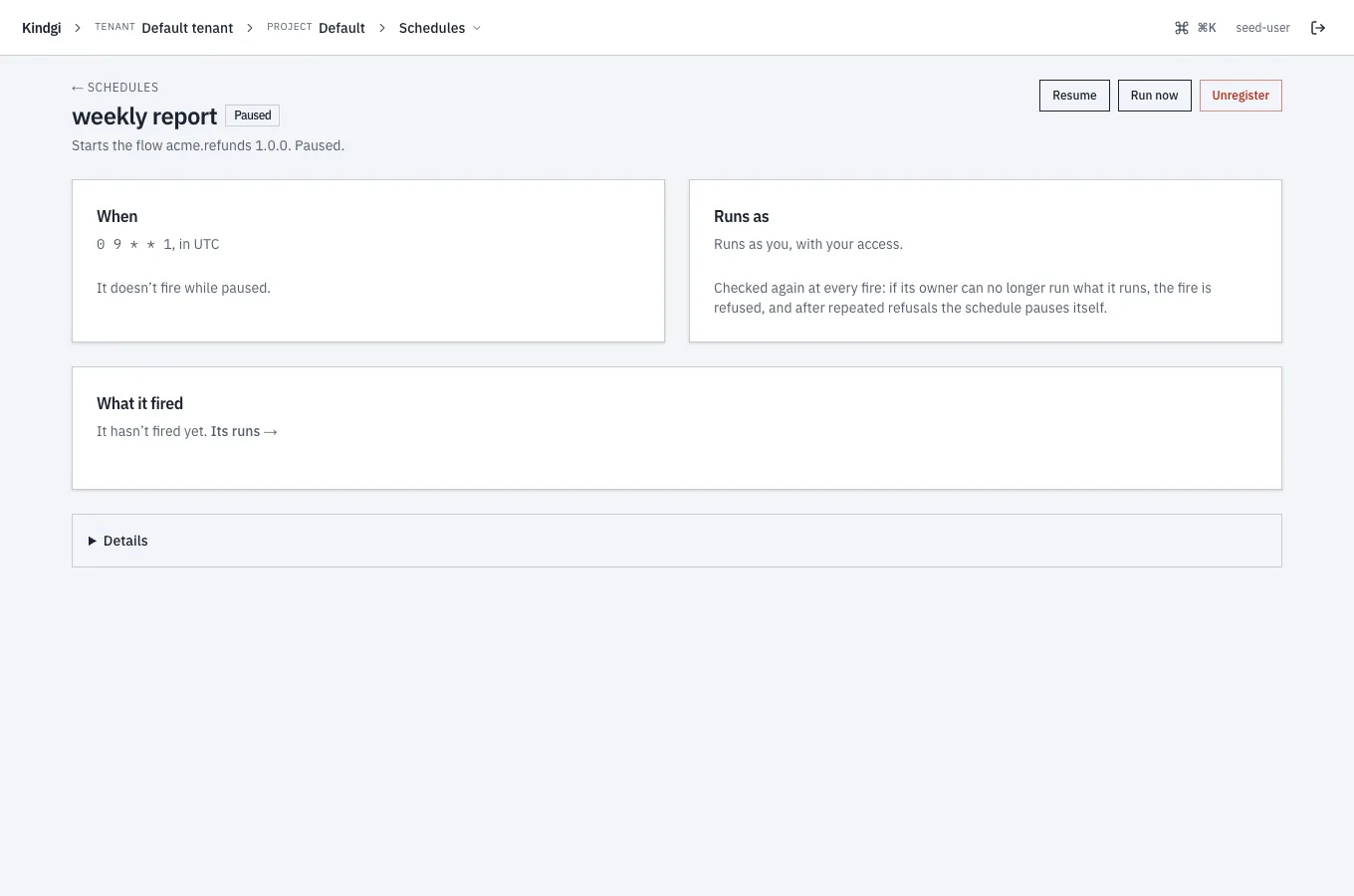
- When: its cron in UTC and its next five times. A paused one says "It doesn’t fire while paused." instead.
- Runs as: whose access its runs have, checked again at every fire, such as "Runs as you, with your access."
- What it fired: a summary, such as "Of its 2 fires, 2 started a run.", and a table of its fires, newest first. Each fire has when it fired, the time it was for, what happened or why the fire was refused, and the run it started. A fire started by hand is for "run now", and what happened reads "Started a run (run now)". The table sorts by a column's header, and Columns chooses which columns it shows.
Project editors and up have, on the list and on the page:
- Pause and Resume;
- Run now: "It starts a run now, as its owner, with its usual input. Its next scheduled fire doesn't change.";
- Unregister: "It stops firing. The runs it started stay, with their record of what started them." It can't be brought back from the console: register it again.
On a schedule that runs as someone else, project admins also get Take over: "Its next runs start as you, with your access. Runs already started keep theirs. If it's paused, it stays paused."
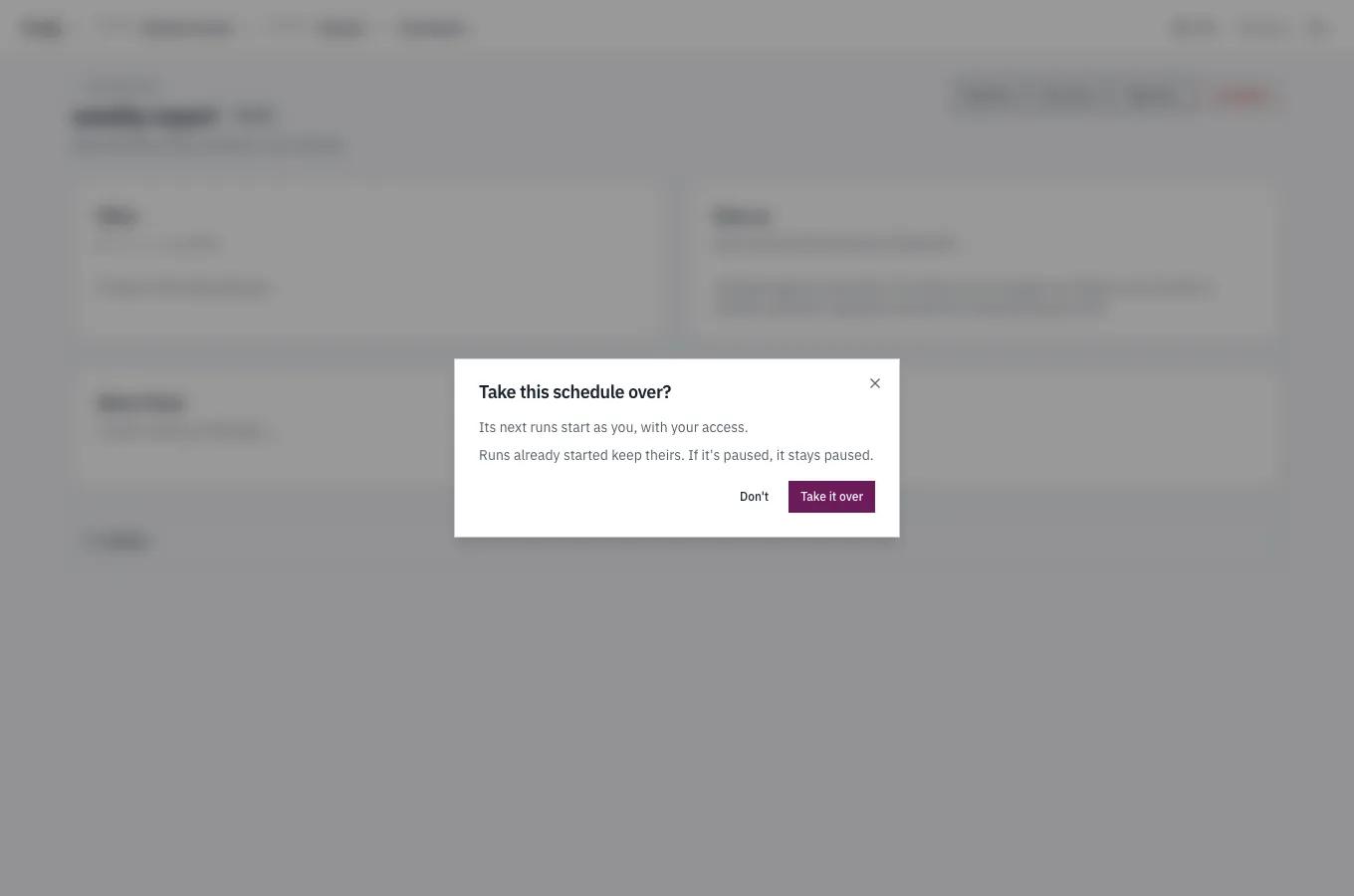
After it, the page says "Runs as you, with your access.", and a paused schedule stays paused:
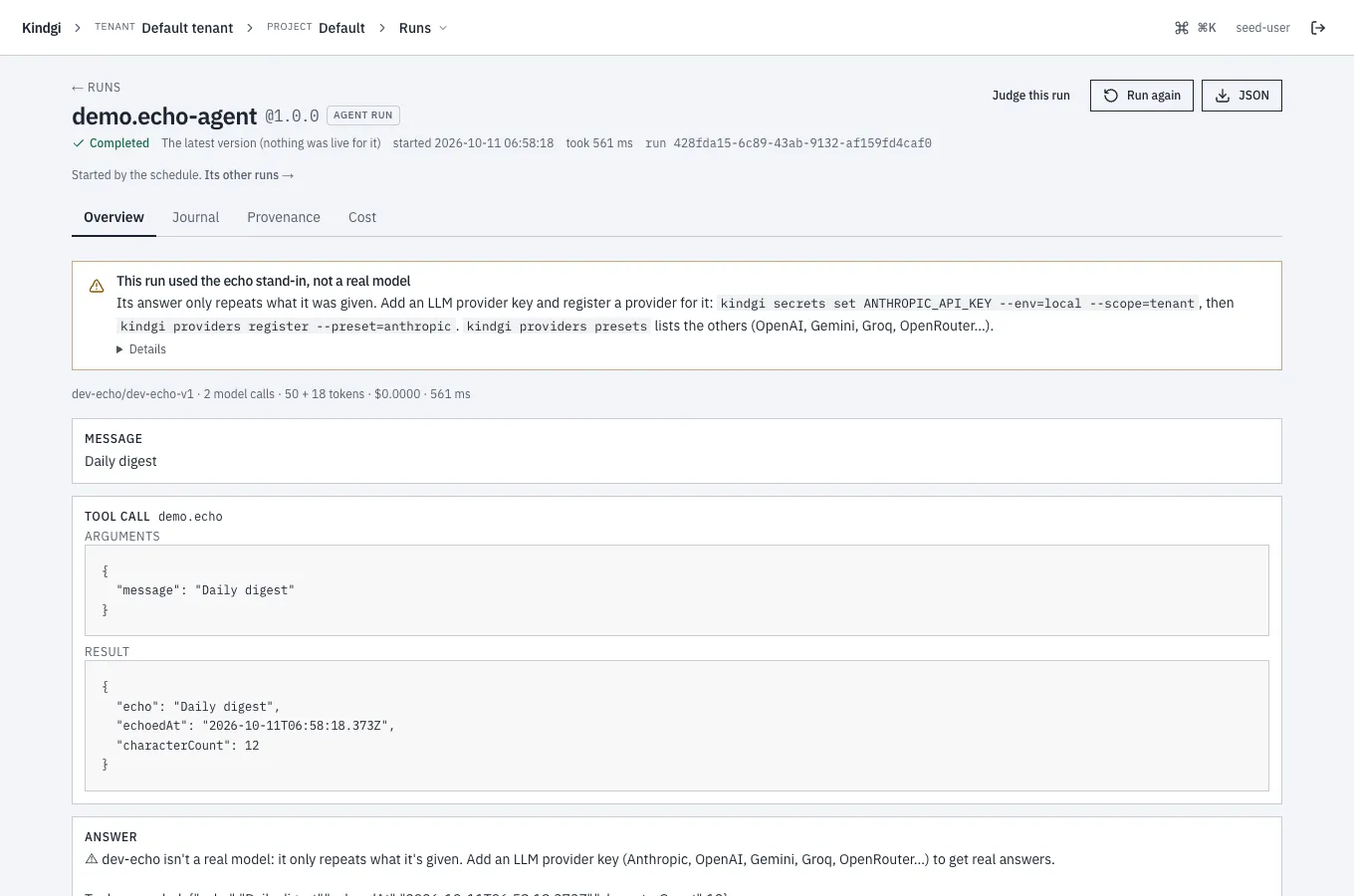
A run a schedule started says so at the top of its page: "Started by the schedule “nightly digest” (0 2 * * *).", with Its other runs →, the runs list filtered to that schedule.
Improve on a schedule
Section titled “Improve on a schedule”A schedule can start improvement passes instead of runs, when enough new trusted judgments have come in on an agent's runs:
pnpm exec kindgi schedules create --cron="0 3 * * *" --improve=acme.rank.scorer --project=<project-id> --segment=company:acme \ --input='{"tiers": ["settings"], "threshold": {"judgments": 5, "runs": 3, "judges": 2}, "monthlyCapUsd": 20}' --label="acme improve"--improve=acme.rank.scoreris the agent to improve.--segment=company:acmenarrows its scope to a segment of the project.
It prints the schedule, with the defaults applied to its input:
{ "scheduleId": "fa6356f8-3f9f-4ab3-b713-636424a43120", "triggerId": "fa6356f8-3f9f-4ab3-b713-636424a43120", "improve": { "agentId": "acme.rank.scorer", "scope": { "kind": "segment", "projectId": "eea49512-700f-4c59-9f66-05ca3b820a3b", "path": [ { "key": "company", "value": "acme" } ] } }, … "input": { "tiers": [ "settings" ], "budget": { "maxCostUsd": 5, "maxCandidates": 30 }, "objective": "weightedYesShare", "threshold": { "runs": 3, "judges": 2, "judgments": 5 }, "classWeights": "restricted-only", "monthlyCapUsd": 20 }, …}At each fire, it counts the trusted "no" judgments on the agent's runs in
its scope since the agent's last pass there. A trusted judgment is one
recorded under a
restricted judge class.
The last pass is one that didn't fail or get cancelled, whoever started it.
With enough of them, across enough runs, from enough judges, it starts a
pass on a fresh test set of those runs, improve.<pass-id>. Otherwise the
fire is skipped, and its note says which count was short.
That schedule's first fire, started with run-now, was skipped: one judge
short. Then the threshold was lowered to one judge:
pnpm exec kindgi schedules update <schedule-id> --input='{"tiers": ["settings"], "threshold": {"judgments": 5, "runs": 3, "judges": 1}, "monthlyCapUsd": 20}'It prints the schedule, with its new input. The next fire started a pass, and the third came while that pass was still running. Its history, newest first:
pnpm exec kindgi schedules fires <schedule-id> --tableFIRED FOR OUTCOME STARTED NOTE──────────────────────── ─────── ─────────────── ───────────────────────────────────────── ──────────────────────────────────────────────────────────────────────────────────────────────────────2026-10-09T13:25:40.917Z run-now skipped-overlap Its previous pass 3599f4ab-8788-433f-af66-7990ddfa9f47 is still running.2026-10-09T13:25:40.341Z run-now started pass 3599f4ab-8788-433f-af66-7990ddfa9f472026-10-09T13:25:39.201Z run-now skipped Not enough new trusted judgments so far: 1 of 2 judges (trusted "no" judgments met: 10, runs met: 10).- Its scope is the schedule's project,
--project, or a segment of it,--segment=<key:value>, repeated for a path. It's never the tenant or an org: a pass learns from one project's runs, so its evidence must cover the scope it changes. Promote wider by hand after review. - Its input,
--input, takes the pass's options,thresholdandmonthlyCapUsd. It's kept with the defaults applied: the thresholds default to 5 judgments, 3 runs and 2 judges, and the cap to 20 US dollars a month. - A monthly cap: once the schedule's passes this month, in UTC, have
cost
monthlyCapUsd, its fires are skipped until the next month. A pass's budget is never more than what's left of it. - One pass at a time: while the schedule's previous pass still runs, a
fire is
skipped-overlap. - At most once an hour. Registering needs
publishon the agent.
A fire that started a pass names it, as passId. The pass names the
schedule and the fire, as trigger. When the pass proposes, it asks for the
review at once, so the proposal waits in reviewers' approvals.