

Judging reference
This page lists everything about judging runs: what a judgment holds, how judge classes weigh it, what judging rules match, what the judging queue holds, how a rule's results count, and what the console's Quality section shows. To judge a run, follow Judge a run's output.
Judgments
Section titled “Judgments”item.keyis your stable id for the item:answerfor the whole answer, or, for a list, the id of the element, such as a matched case's id.item.pointer(optional) is where the item is in the run's output, as a JSON Pointer such as/matches/2. Its value is kept with the judgment.item.rank(optional) is its place in a ranked list, 0 first.- Who judged comes from the token, as
assertedBy. An app that judges for its own users addsparticipantId, its own opaque id for the user. - Judging the same item again, as the same caller and participant, under any class or none, replaces the earlier judgment. The earlier one stays in the history. So each person has one verdict per item, and its class only says how much it counts.
- A judgment keeps copies of the run's input and output, so it outlives the run's own retention.
- Judging a run takes write access to its project, as cancelling it does.
Only a finished run can be judged, and the pointer must find something:
Run "fc26b436-611b-4962-9913-2f2669ade7e1" has no output to judge yet (status suspended).Nothing at "/no/such" in run "bc6d1b53-3562-48c9-9f29-719779e3d110"'s output.Judge classes
Section titled “Judge classes”-
A class weighs its judgments:
--weight=3counts each three times. Without a class, a judgment counts once. -
A class applies to the tenant, a project, or an agent in a project.
-
A restriction says who may judge as the class:
--min-reviewer-role:standard,seniororadmin, a reviewer of that role or above;--principal-kind:userfor people, orservicefor service tokens;--principal-id: named users or tokens, by id.
The last two repeat. A caller must meet each one you set. In the API and the clients, it's
assertableBy. -
Whom a class names is for the admins of its scope. Anyone else who reads the class gets how many it names, as
principalCount, not their ids. -
A judgment made under a restriction carries
"restricted": true, inkindgi judgments listtoo. It's decided when the judgment is made: judgments recorded before the restriction don't count as restricted. -
Lifting a restriction, with
kindgi judge-classes set <judge-class-id> --unrestricted, keeps the earlier judgments restricted. New ones aren't. -
kindgi judge-classes setwith restriction flags replaces the whole restriction.
A test set counts restricted judgments apart, and a comparison can count only them, as Compare a version on a test set shows.
Judging rules
Section titled “Judging rules”What a rule matches, in when, each field narrowing it:
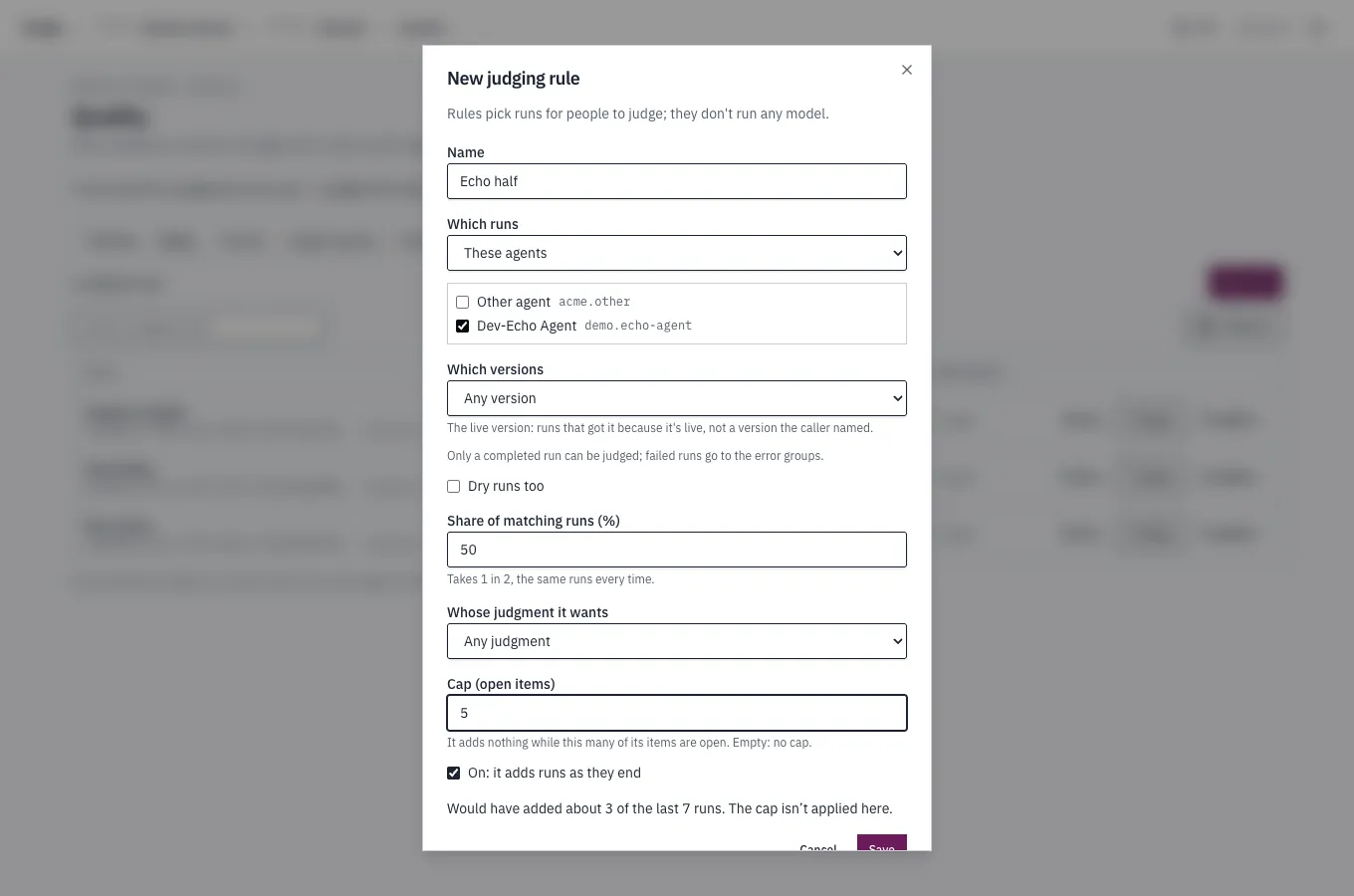
agentIdsorflowIds: runs of these agents or flows, one or the other, not both. A rule naming an agent matches the agent's own runs, not its turns as a step of a flow.versions: these versions exactly, orlive: runs that ran the agent's live version rather than one the caller named. So the rule follows each release.status: how the run ended. Onlycompleted, since only a completed run can be judged. It's also the default.includeDryRuns: dry runs are left out unless this istrue. A comparison's runs on a test set are never queued.
How much of it to queue:
sample: the share of matching runs,0.05for 5%. The same run and rule always give the same answer, across the rule's versions too. So raising it later keeps the runs it took before, and adds more.maxOpen: the rule adds nothing while this many of its runs wait, and starts again as they're judged.judgeClassId: whose judgment the rule wants, a judge class. Without it, any judgment does.
A rule applies to runs that end after it's made. To try one before you make
it, judgingRules.preview takes the same fields. It answers how many of the
project's last 100 runs it would have queued, with its sample but not its
maxOpen. last sets how many runs, up to 500. Give an existing rule's
ruleId to sample as it does. Without one, the count is an estimate. A run
that doesn't record how its version was chosen never matches live.
A rule only lists runs: it never runs a model or spends anything.
Change a rule
Section titled “Change a rule”judgingRules.updatewrites a new version of the rule. Runs queued from then on count toward the new version.nullremovesmaxOpenorjudgeClassId.judgingRules.versionslists every version, newest first, with who wrote each and when.judgingRules.unregisterstops a rule. It queues nothing more. Its versions and the runs it queued stay.
The judging queue
Section titled “The judging queue”judgingQueue.list gives the queue, oldest first.
- Each item is a run: its agent or flow and version, how it ended, the rules that queued it, each at the version that did, the judge classes they want, and the judgments on it so far, by class. It carries none of the run's content: open the run to judge it.
forMe: truekeeps the items you can close: those that want a class you may judge as, or any judgment.- An item closes as
judgedonce each rule that queued it has the judgment it wants: one of its class, or any judgment for a rule without a class. judgingQueue.dismiss, with an optional reason, takes a run not worth judging out of the queue.judgingQueue.reopenputs it back. Each item'scansays whether you may.- Counts:
limit: 0answers only thetotal. Withstate,addedAfterandclosedAfter, it gives "N waiting, M judged this week". - When a run's content is gone, erased or purged by
retention, its waiting item closes as
erasedand shows nothing of the run.
Reading the rules and the queue takes read access to the project. Changing a rule, and dismissing or reopening an item, take write access, as judging a run does.
A rule's results
Section titled “A rule's results”judgingRules.results gives a group for each version of the rule and each
agent version:
- The runs it queued:
added, and of themopen,judged,dismissedanderased. - The judgments on them, with their weighted
yesshare, and the judgments by class. - The
yesshare is per judgment: one person's verdict on one item of a run's output. runsWithJudgmentscounts the runs those judgments come from: the queued runs with at least one live judgment, whatever their item's state now. That's still open, closed asjudged, or dismissed after someone judged it.judgmentscounts verdicts, so several people judging one run make several judgments but one run here. To see how much a share rests on, count runs, not judgments.skippedByCapcounts the runs the rule matched and sampled but didn't queue becausemaxOpenwere waiting, even when another rule queued them. Soadded+skippedByCapis every run it matched and sampled. When it isn't 0, the queued runs lean toward quiet times.- Never pooled: each version of each rule is a sample of its own
when, so its results are never added to another's.
Here a rule that wants an expert's judgment queued four runs. An expert,
with weight 3, and a peer judged the first. A peer judged the second no,
and it's still open. A peer judged the third, which was then dismissed. The
fourth was never judged. So judgments is 4, runsWithJudgments 3, and
yesShare 0.83: 5 of 6 weighted verdicts.
{ "ruleId": "fd7a1785-717b-404e-bcdc-3b819806d784", "groups": [ { "ruleVersion": 1, "agentVersion": "1.0.0", "added": 4, "open": 2, "judged": 1, "dismissed": 1, "erased": 0, "skippedByCap": 0, "judgments": 4, "runsWithJudgments": 3, "yesShare": 0.8333333333333334, "byClass": [ { "judgeClassId": "2da17046-eb37-4157-b175-3381a926545a", "judgments": 3, "yes": 2 }, { "judgeClassId": "787b6f6f-30cf-4bac-bf27-ac5ef32cb6d3", "judgments": 1, "yes": 1 } ] } ]}In the console
Section titled “In the console”A project's Quality section is the judging queue and its rules in the console. Its headline says where judging stands:
5 runs wait for a judgment (3 for you) · 1 judged this week · 1 dismissed this week · 7 added this week · 0 proposals to review.
When a proposal waits for a reviewer, "· 1 waiting for a reviewer" follows.
The section has five tabs: Waiting, Rules, Trends, Judge
classes and Proposals. Their tables sort by a column's header, and
Columns chooses which columns each shows. The tab, the filters and each
table's view go in the page's address, such as ?tab=rules, so a link opens
the same view.
Waiting
Section titled “Waiting”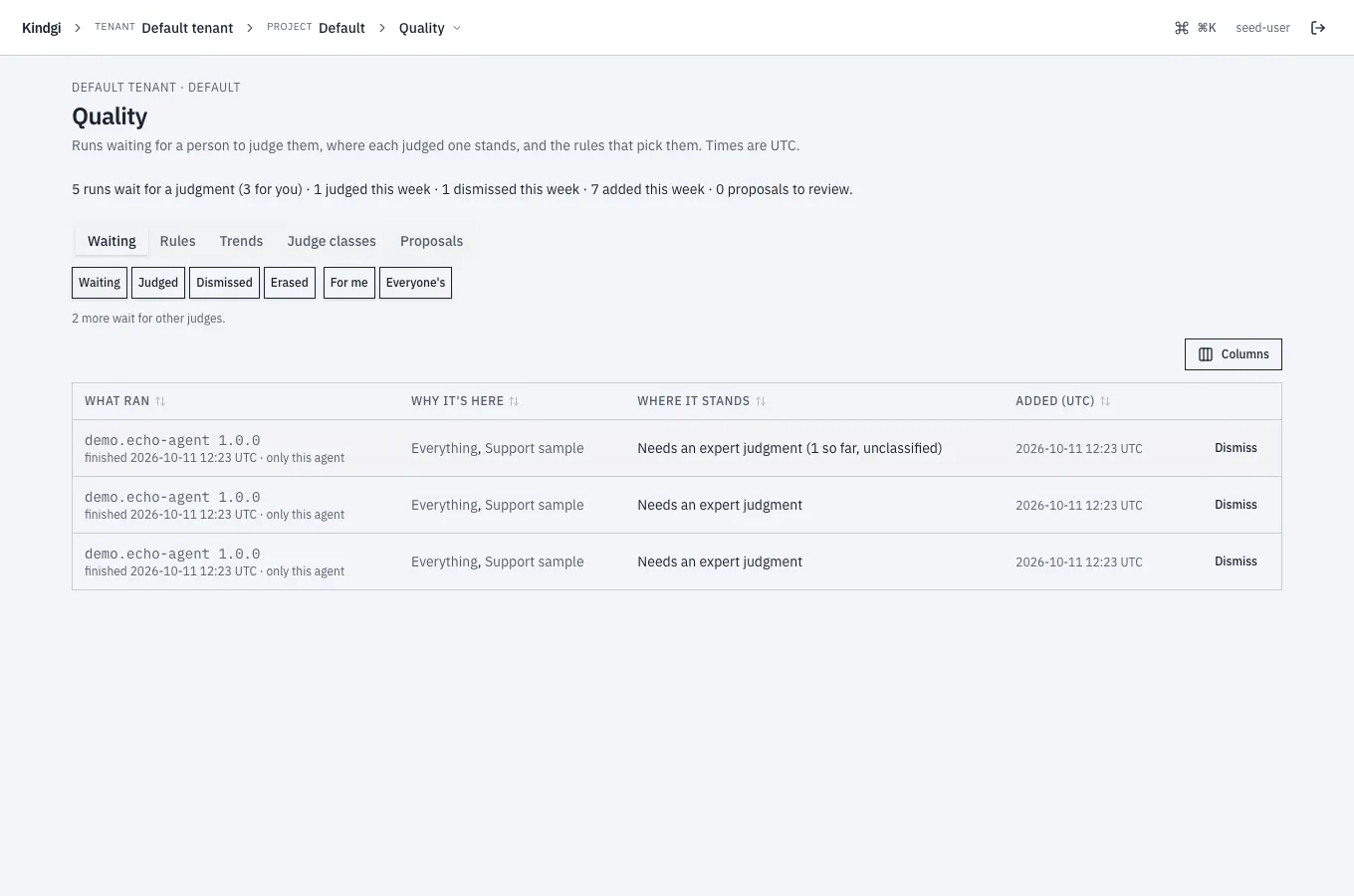
Each row is a run in the queue:
- What ran: the agent or flow and its version, and when it finished. It links the run's Judgments tab, where you judge it, as Judge an item shows.
- Why it's here: the rules that queued it.
- Where it stands: what it still needs, such as "Needs an expert judgment (1 so far, unclassified)", or how a closed one ended.
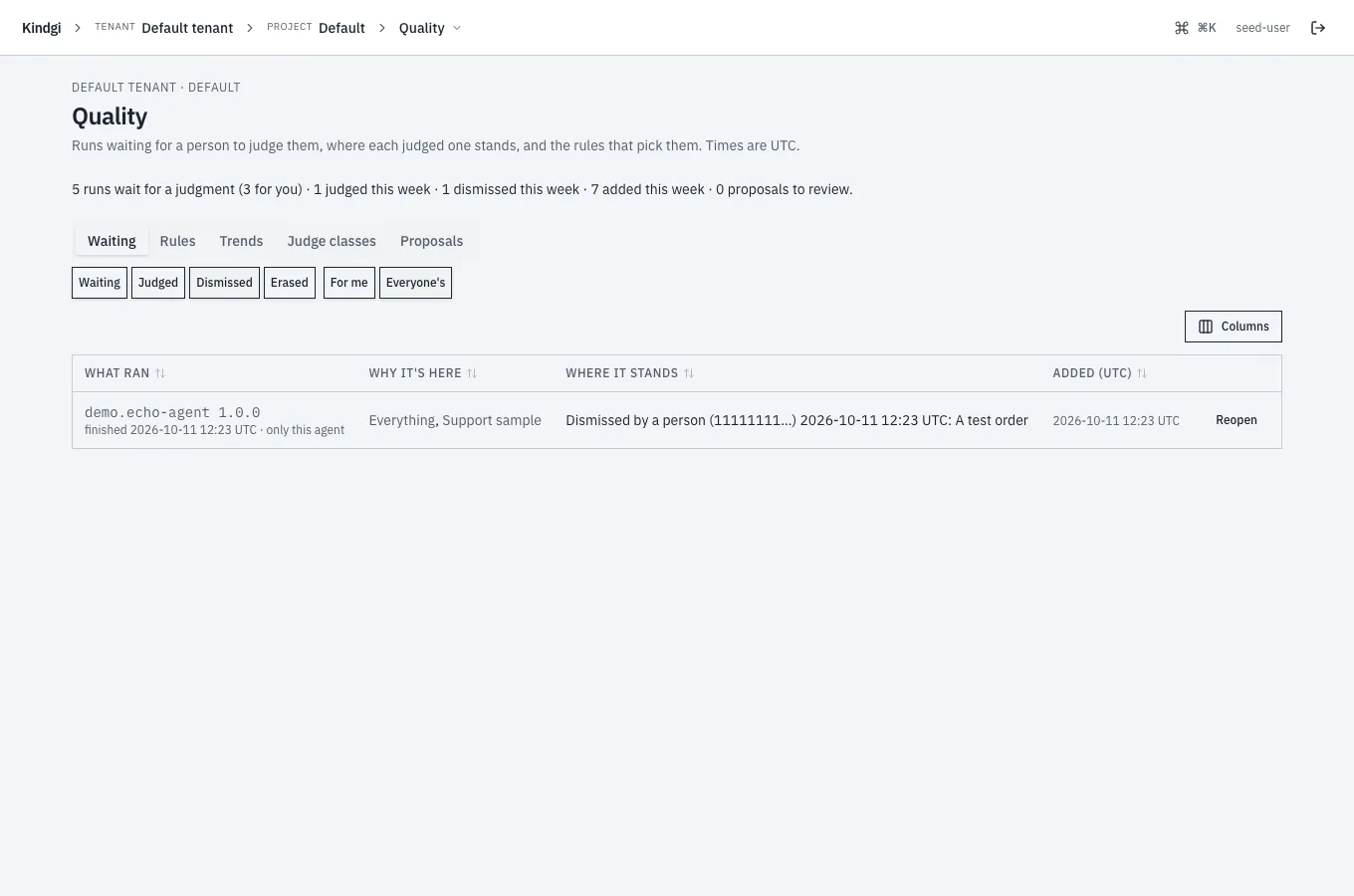
Filter it by state, Waiting, Judged, Dismissed or Erased. Or by For me or Everyone's ("2 more wait for other judges."), by rule and by agent. Dismiss takes a run out of the queue with a reason, and Reopen puts a dismissed one back.
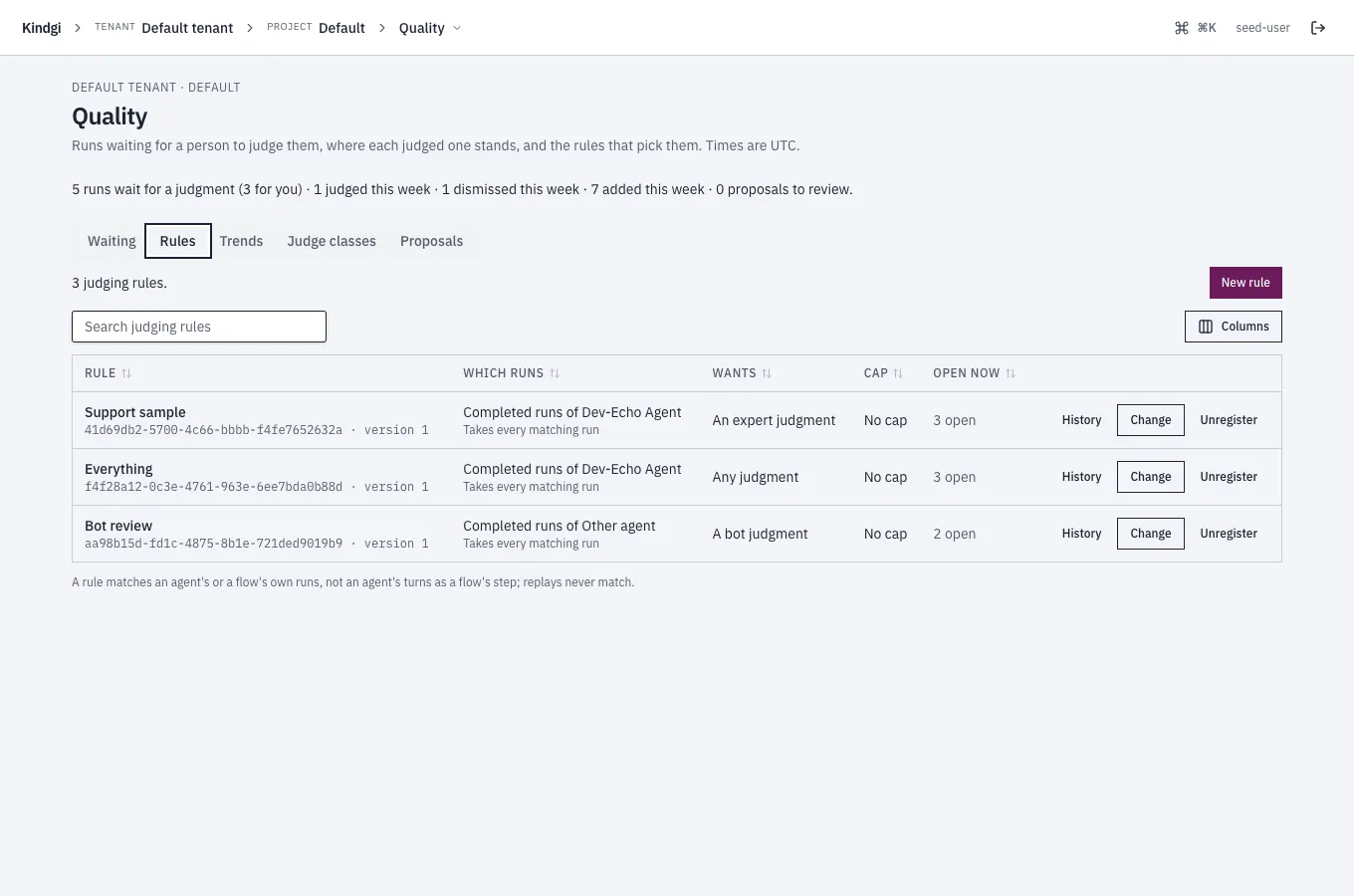
Each rule is in words:
- Which runs: "Completed runs of Dev-Echo Agent", and how many it takes: "Takes every matching run", or "Takes 1 in 10".
- What it wants: "An expert judgment", "Any judgment" or "A bot judgment".
- Its cap: "No cap", or no new items while that many are open.
- What it has open now: for example "3 open", linking Waiting.
A rule matches an agent's or a flow's own runs, not an agent's turns as a flow's step. Replays never match.
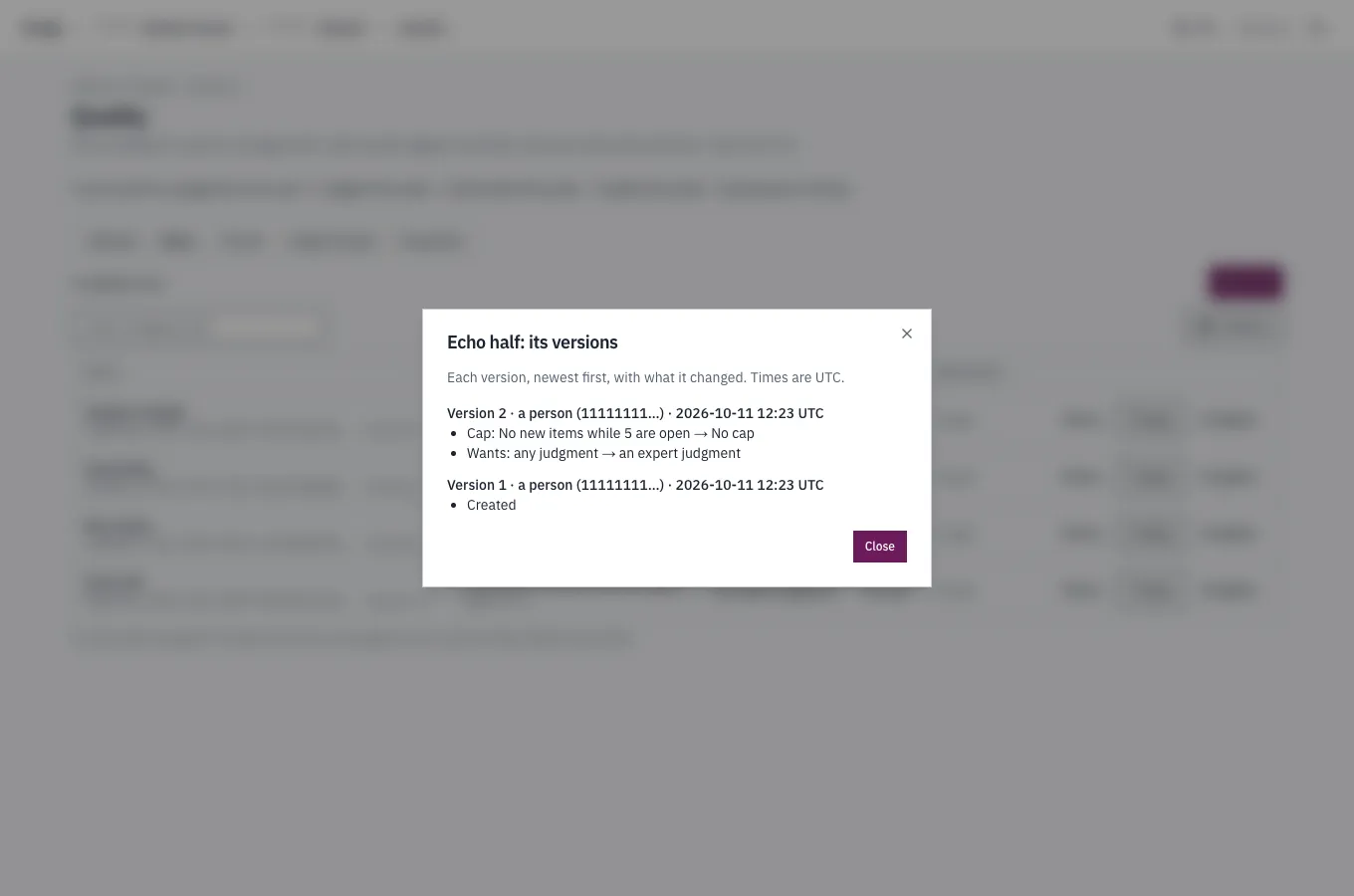
Project editors see New rule, and Change on each rule. The editor shows what the rule would have queued from the recent runs, and saving makes a new version of the rule. History lists what each version changed, who changed it and when. Unregister stops a rule, and the runs it queued stay in the queue.
Trends
Section titled “Trends”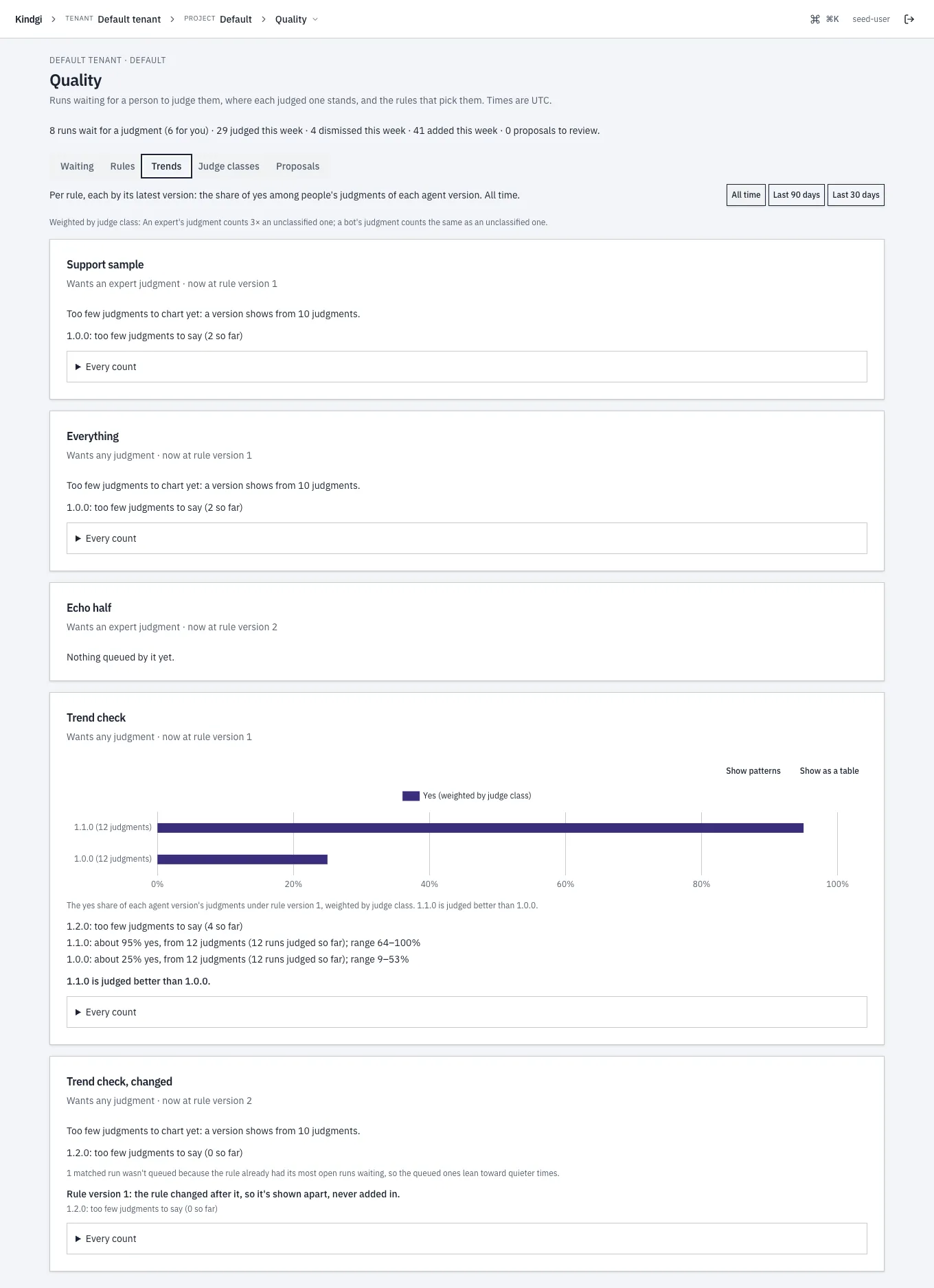
Trends shows, per rule and by its latest version, the share of yes among people's judgments of each agent version, over all time or the last 90 or 30 days. These are a rule's results:
- A version shows from 10 judgments. With fewer, it says so: "1.0.0: too few judgments to say (2 so far)".
- Each line names its judgments and its range: "1.1.0: about 95% yes, from 12 judgments (12 runs judged so far); range 64–100%".
- A comparison only when the ranges are apart: "1.1.0 is judged better than 1.0.0."
- The weights, in words: "Weighted by judge class: An expert's judgment counts 3× an unclassified one; a bot's judgment counts the same as an unclassified one."
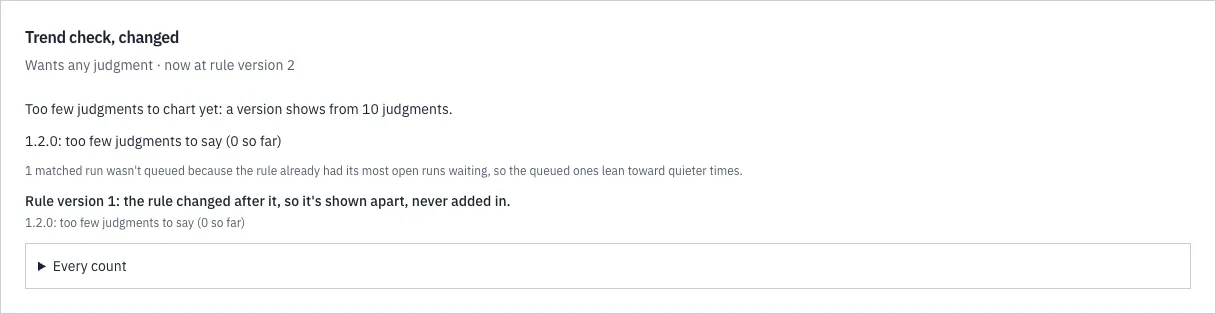
- What the numbers leave out: an earlier version of the rule is "shown apart, never added in". Runs the cap kept out are counted: "1 matched run wasn't queued because the rule already had its most open runs waiting, so the queued ones lean toward quieter times."
Every count opens the counts behind a rule's trend.
Judge classes
Section titled “Judge classes”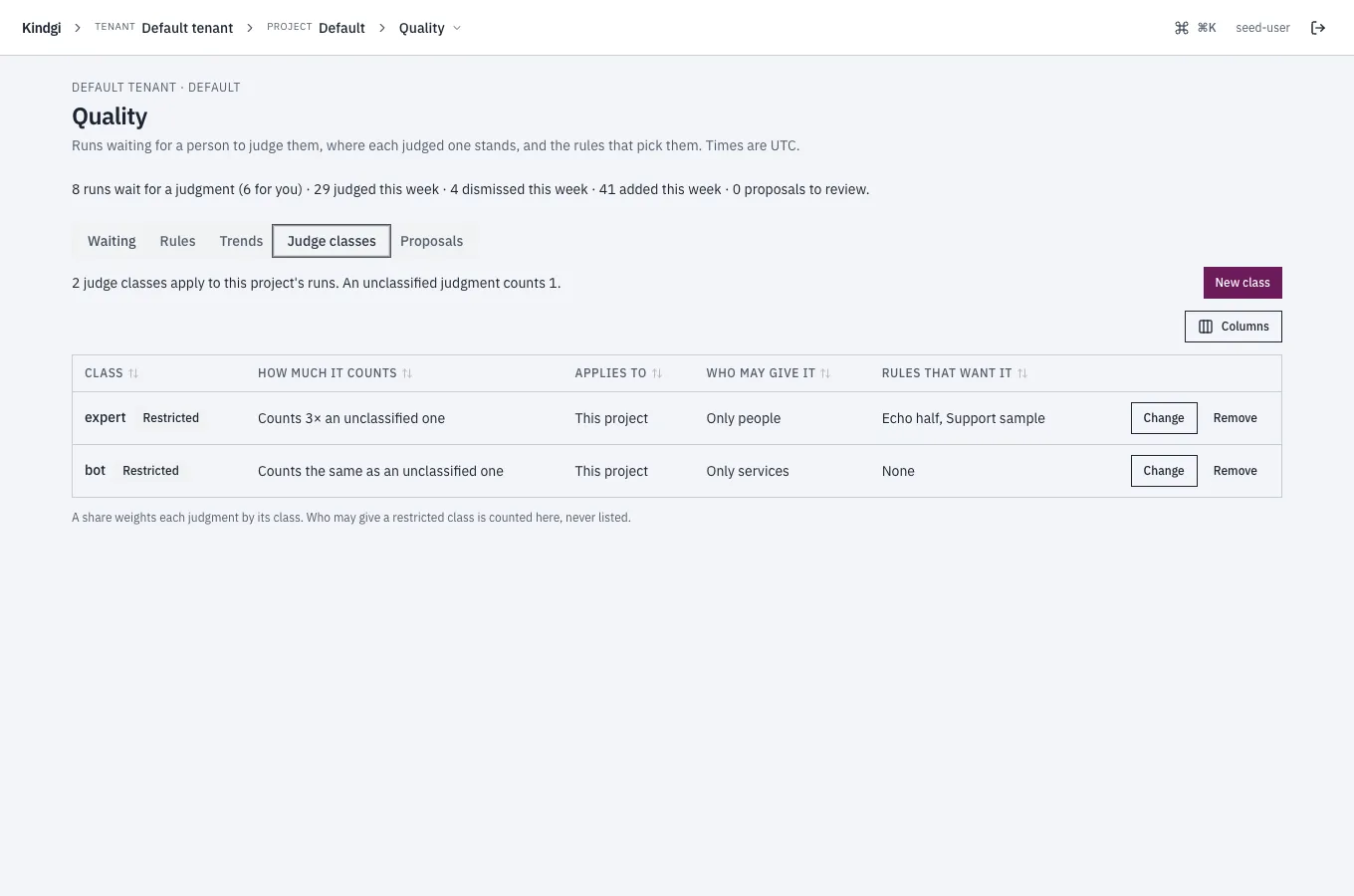
Each judge class that applies to the project's runs, in words:
- how much it counts, such as "Counts 3× an unclassified one";
- where it applies, such as "This project";
- who may give it, such as "Only people" or "Only services". Who may give a restricted class is counted here, never listed;
- the rules that want it.
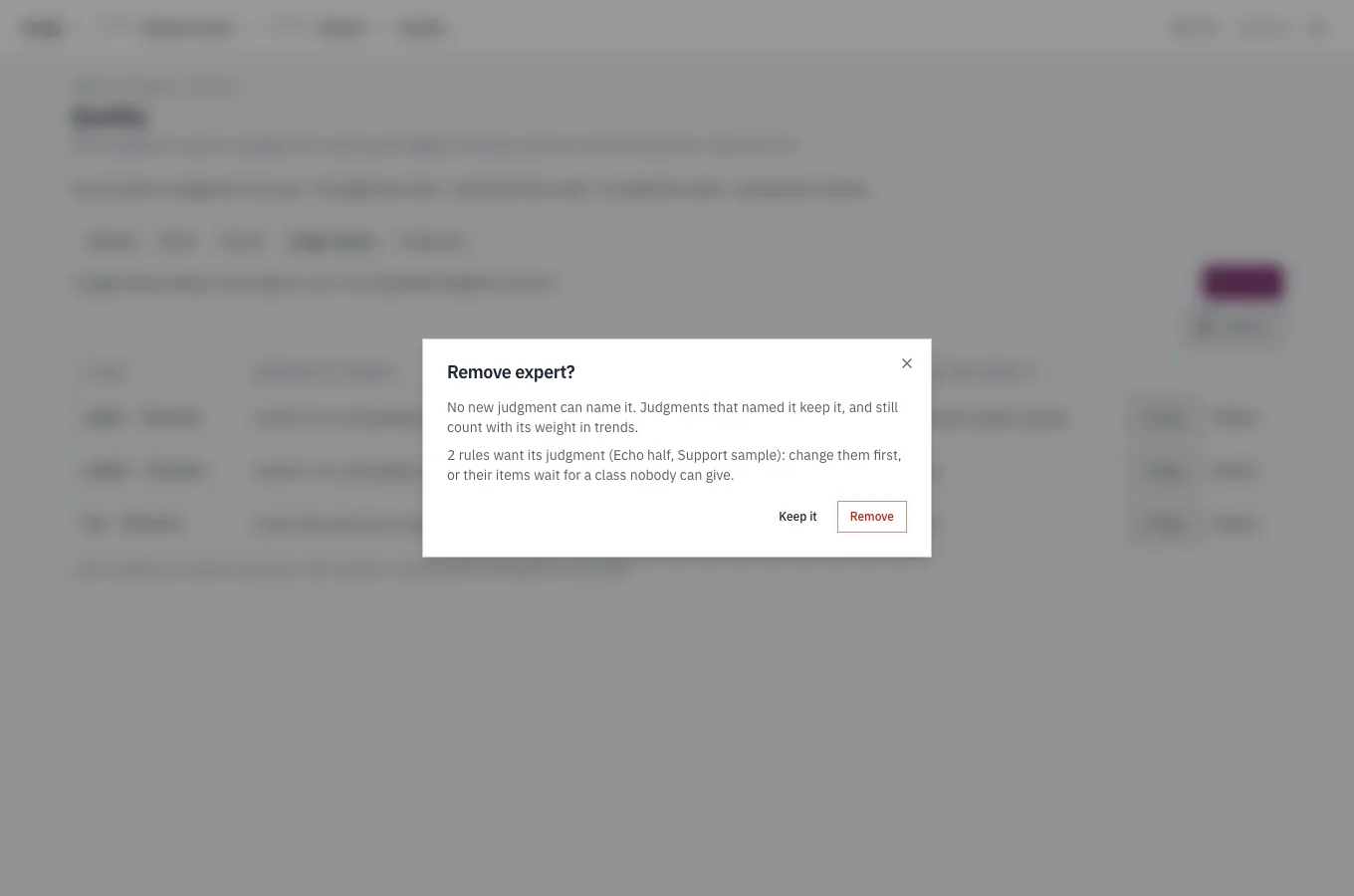
Project admins add, change and remove a project's classes, and tenant admins a tenant's. Removing a class names the rules that want it.
Proposals
Section titled “Proposals”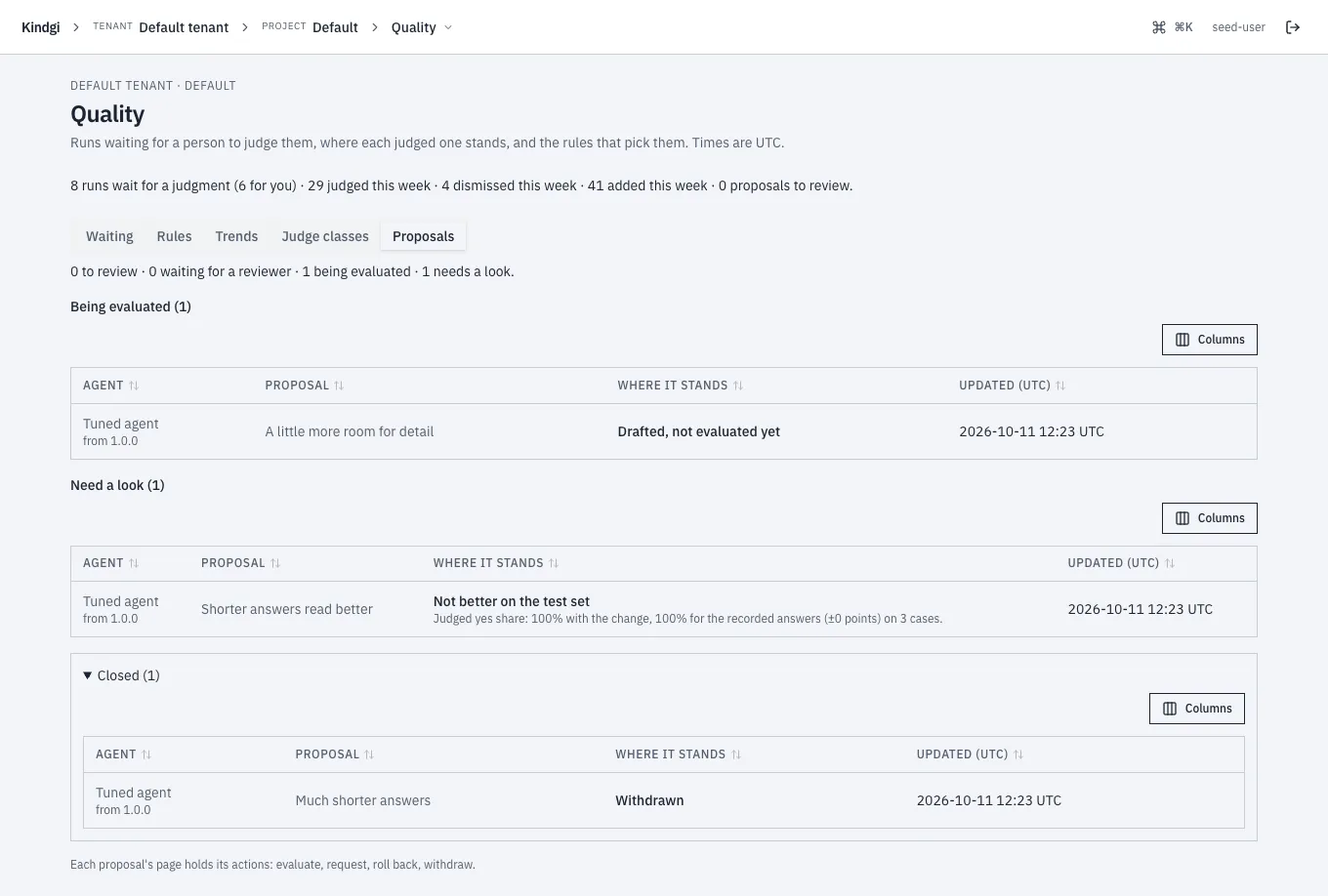
The project's agents' proposals, grouped by what they wait for: To review, Waiting for a reviewer, Being evaluated, Need a look and Closed. Each says where it stands, such as "Not better on the test set", with the judged yes share it was evaluated on. Each links its page: "Each proposal's page holds its actions: evaluate, request, roll back, withdraw."